

PRISM
(Platform for Rapid Implementation to Study Models)
The Systems Shouldn’t Slow The Science
Health AI research moves slowly not because of the science, but because of the systems. Getting a model connected to the right data, the right workflows, and the right clinical infrastructure takes time researchers don't have. PRISM (Platform for Rapid Implementation to Study Models) removes that friction — providing secure, IA-approved hosting and rapid access to EHR, imaging, and waveform data so researchers can move from development to clinical testing faster. With full ownership of their models and a dedicated research success team handling the technical details, researchers can focus on what matters: proving their model works.
How it Works
PRISM connects your model to the data, compute, and workflows needed for clinical research.
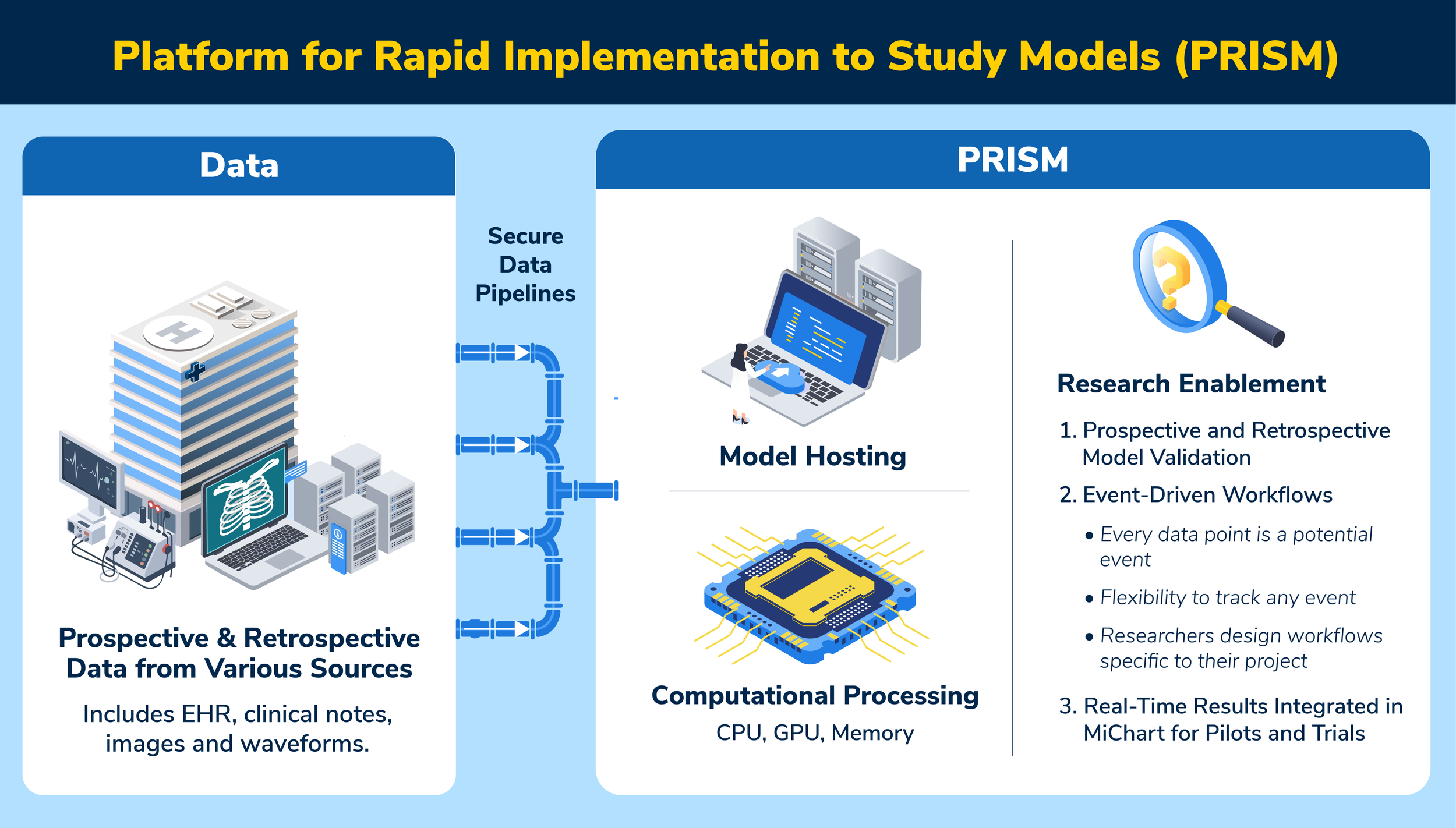
PRISM features include:
Free, on-premise hosting leveraging HITS hardware
Rapid access to all data types and sources including EHR, clinical notes, images, and waveforms
Adaptable as data sources evolve over time
Easily integrates with flowsheets, PACS, REDCap, and more
Available to all campus and Michigan Medicine health AI researchers
Request PRISM access today to learn how we can help move your model from research to clinical testing!

“PRISM is the bridge researchers need to prove the impact of research models prior to clinical implementation. It reduces operational overhead, allowing researchers to stay focused on their research.”
Michael Burns, PhD, MD
Clinical Associate Professor of Anesthesiology
Program Assistant, Anesthesiology